E-Invoicing Guide
Quick Start
Step 1 - Enabling the E-Invoicing Feature
To get started with E-Invoicing, please contact your partner manager. They will assist you in activating the E-Invoicing functionality for your company.
Step 2 - Configuration
For issuing E-Invoices, the configuration of base data is required. Details on maintaining this configuration can be found in the chapter API - Base data/company header data and Cfg - Configuration. The necessary base data includes the following config sections in the efsta Portal:
- Company
- Location
- Profile
- e-Invoice
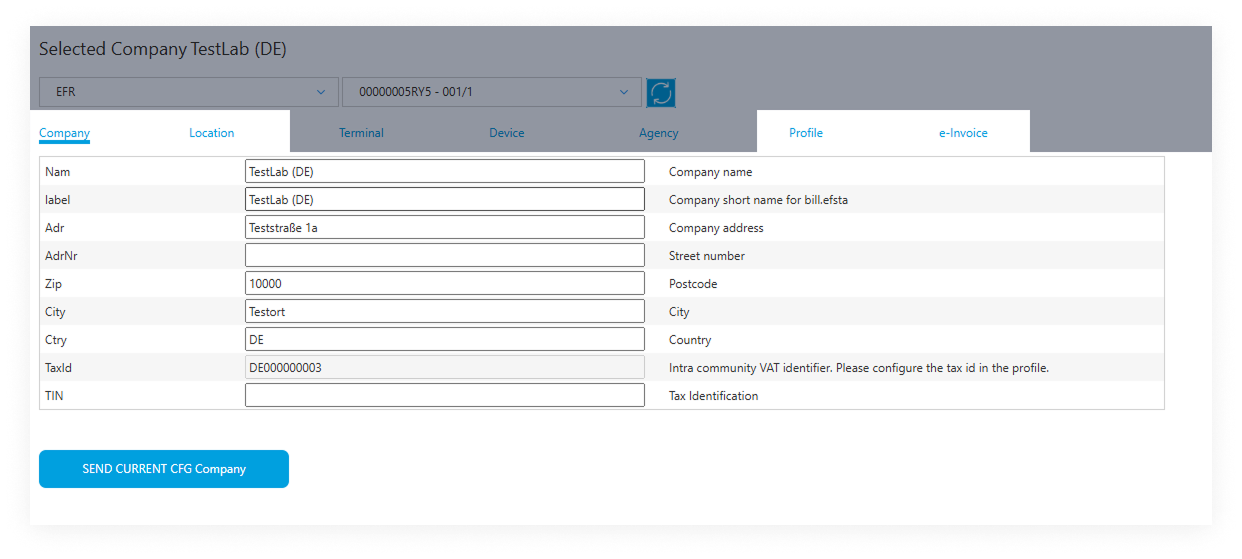 This information will be automatically included in all E-Invoices.
Required country-specific configs under the tab "e-Invoice"


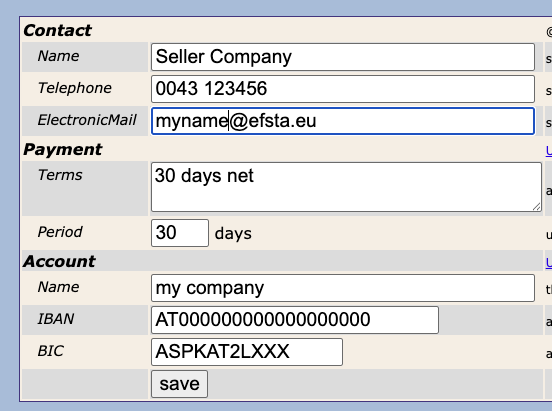
It is very important to fill in the "ContactElectronicMail" field in the e-Invoice configuration tab to ensure the seller of the E-Invoice receives an email notification with the opportunity to correct and resend it in case of an error.
While it is possible in Italy, Germany & Poland to set the E-Invoicing configuration in the EFR, all others require the efsta Portal for setup.
Setting up the E-Invoicing configuration in the EFR
-
First, please navigate to the E-Invoicing tab in your EFR.
Then proceed by clicking the gear icon at the top of the list.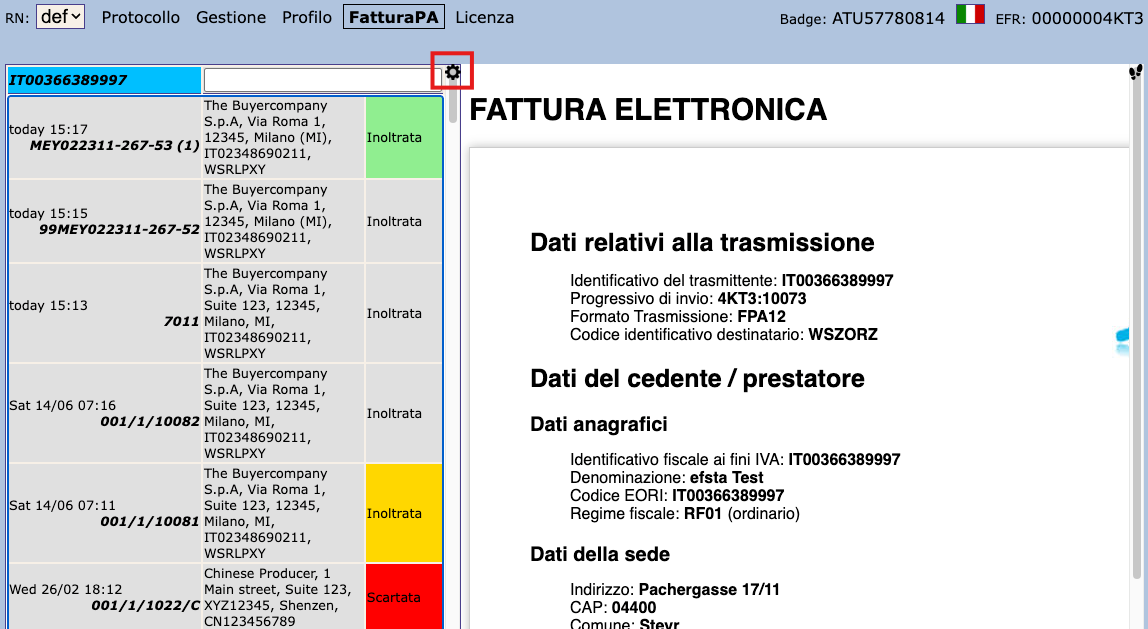
-
You will be redirected to the page where E-Invoicing settings can be changed.
 ATTENTION: IT
- For Italy, Regulatory-Compliant Preservation requires end-user intervention! For more information, please see this page.
Step 3 - Sending
For sending an E-Invoice you have to trigger the electronic delivery.
To do so, please specify ESR.DD (aka "document delivery"), e.g.: DD="IT". Secondly, if required, please also provide the DDto (document delivery to) field.
You can find a detailed overview of the required DD values for each country in the General API Documentation.
For country-specific information on DDto values, please refer to the guides for Germany, Italy and Poland respectively.
Example Request
- JSON
- XML
{"Tra":
    {"ESR":
        {"DD": "IT-TEST", "DDto": "WSRLPXY", "NFS": "INVOICE",
        "Ctm":
            {"TaxId": "IT02348690211", "Nam": "The Buyercompany S.p.A", "Adr": "Via Roma 1",
                "Zip": "12345", "City": "Milano (MI)"
            },
        "PosA": {
            "Pos": { "PN": "1", "Dsc": "test", "TaxG": "B", "Amt": "1.00"}},
        "PayA": {
            "Pay": { "Dsc": "Contanti", "PayG": "cash", "Amt": "1.00"}}
        }
    }
}
<Tra>
  <ESR DD="IT-TEST" DDto="WSRLPXY" NFS="INVOICE">
    <Ctm TaxId="IT02348690211" Nam="The Buyercompany S.p.A" Adr="Via Roma 1" Zip="12345" City="Milano (MI)"/>
    <PosA>
      <Pos PN="1" Dsc="test" TaxG="B" Amt="1.00"/>
    </PosA>
    <PayA>
      <Pay Dsc="Contanti" PayG="cash" Amt="1.00"/>
    </PayA>
  </ESR>
</Tra>
Example Response
- JSON
- XML
{
  "TraC": {"SQ": "402", "DDH": "4KT3:402",
    "Result": { "RC": "OK"},
    "ESR": {"TL": "1", "TT": "1", "D": "2025-07-15T15:15:07", "T": "1.00", "TN": "289",
      "TaxA": {
        "Tax": {"TaxG": "B", "Prc": "10", "Net": "0.91", "TAmt": "0.09", "Amt": "1.00"}
      }
    },
    "Fis": { "D": "15-07-2025 15:15", "DN": "0052", "ZI": "267", "ID": "99MEY022311"}
  }
}
<TraC SQ="402" DDH="4KT3:402">
    <Result RC="OK"></Result>
    <ESR TL="1" TT="1" D="2025-07-15T15:15:07" T="1.00" TN="289">
        <TaxA>
            <Tax TaxG="B" Prc="10" Net="0.91" TAmt="0.09" Amt="1.00"/>
        </TaxA>
    </ESR>
    <Fis D="15-07-2025 15:15" DN="0052" ZI="267" ID="99MEY022311"/>
</TraC>